TMDXDOCKH52C1
Experimenter kits for initial device exploration and testing
Manufacturer: ti
series introduction
# TMDXDOCKH52C1 Product Series Introduction
## Overview
The TMDXDOCKH52C1 product series represents a cutting - edge solution in the realm of docking technology. Engineered with precision and innovation, this series is designed to meet the diverse needs of modern users, whether they are professionals in a corporate environment, students in an educational setting, or enthusiasts looking to enhance their computing experience.
## Key Features
### High - Performance Connectivity
- **Multiple Ports**: The TMDXDOCKH52C1 comes equipped with a comprehensive set of ports. It includes USB 3.0 and USB 2.0 ports, which offer high - speed data transfer rates. USB 3.0 ports can achieve data transfer speeds of up to 5 Gbps, allowing for quick file transfers between your computer and external storage devices such as USB flash drives or external hard drives.
- **Display Connectivity**: It supports multiple display outputs, including HDMI and DisplayPort. This enables users to connect multiple monitors to their laptops or desktops, creating a multi - monitor setup for enhanced productivity. For example, professionals can have their main work application on one screen while having reference materials or communication tools on another.
- **Audio Connectivity**: The docking station features audio jacks for both input and output. This allows users to connect high - quality speakers or headphones for an immersive audio experience, as well as a microphone for clear voice communication during video conferences or voice recordings.
### Compatibility
- **Wide Range of Devices**: The TMDXDOCKH52C1 is compatible with a vast array of laptops and desktops. It supports major operating systems such as Windows, macOS, and Linux, ensuring that users across different platforms can take advantage of its features. Whether you are using a Windows - based business laptop or a macOS - powered MacBook, this docking station will work seamlessly.
- **Plug - and - Play**: It offers a plug - and - play functionality, which means that users can simply connect their device to the docking station without the need for complex driver installations. This makes it extremely user - friendly, especially for those who are not technically inclined.
### Power Delivery
- **Efficient Charging**: The docking station is capable of delivering power to your connected device. It can provide up to [X] watts of power, which is sufficient to charge most laptops and tablets. This eliminates the need for multiple chargers, reducing clutter on your desk and making it more convenient to use your devices.
### Compact and Durable Design
- **Space - Saving**: The TMDXDOCKH52C1 has a compact and sleek design, which makes it ideal for use in small workspaces. It can easily fit under a desk or on a shelf when not in use, taking up minimal space.
- **Robust Build**: It is built with high - quality materials, ensuring durability and long - term reliability. The docking station can withstand the rigors of daily use, making it a great investment for both home and office environments.
## Use Cases
### Corporate Environment
- **Enhanced Productivity**: In a corporate setting, employees can use the TMDXDOCKH52C1 to connect their laptops to multiple monitors, keyboards, and mice. This allows them to work more efficiently, as they can have multiple applications open simultaneously and easily switch between tasks.
- **Meeting Rooms**: The docking station can be used in meeting rooms to quickly connect laptops to projectors or large - screen displays. This enables seamless presentations and collaborative work.
### Educational Institutions
- **Classroom Setup**: Teachers can use the TMDXDOCKH52C1 to connect their laptops to classroom projectors or interactive whiteboards. Students can also use it to connect their devices to shared displays for group presentations.
- **Lab Work**: In computer labs,
Images for reference
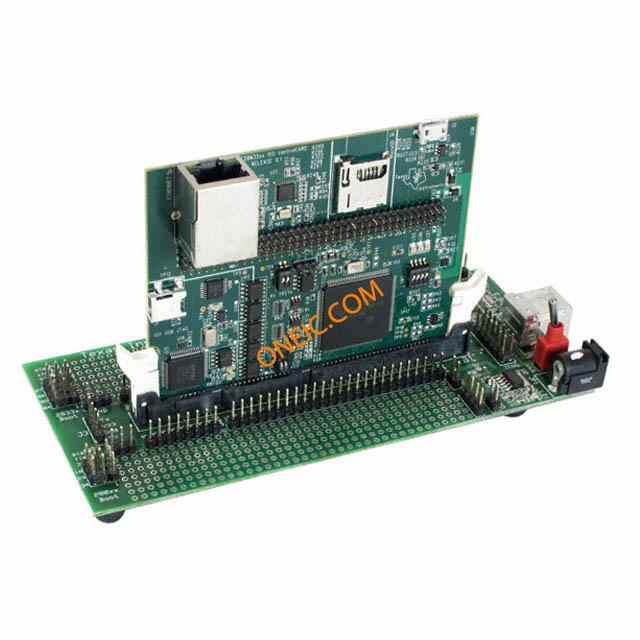
TMDXDOCKH52C1
Image Preview
Image Preview